Disk Space Usage
See where your storage went
Scan any folder or drive and find exactly what is filling it. Read only, so nothing is ever deleted.

Every folder, sorted by size
A Finder-style outline of everything you scanned, biggest first at every level. Each row shows its share of the enclosing folder, its size, how many items it holds and when it last changed. Open a folder to see inside, and keep going as deep as you like.
Every file, ranked
The other way to look at the same scan: one flat list of files ordered purely by size, ignoring folders entirely. Show the top 100, 500, 1,000 or 5,000, narrow it to a file type or a name, and sort by any column.
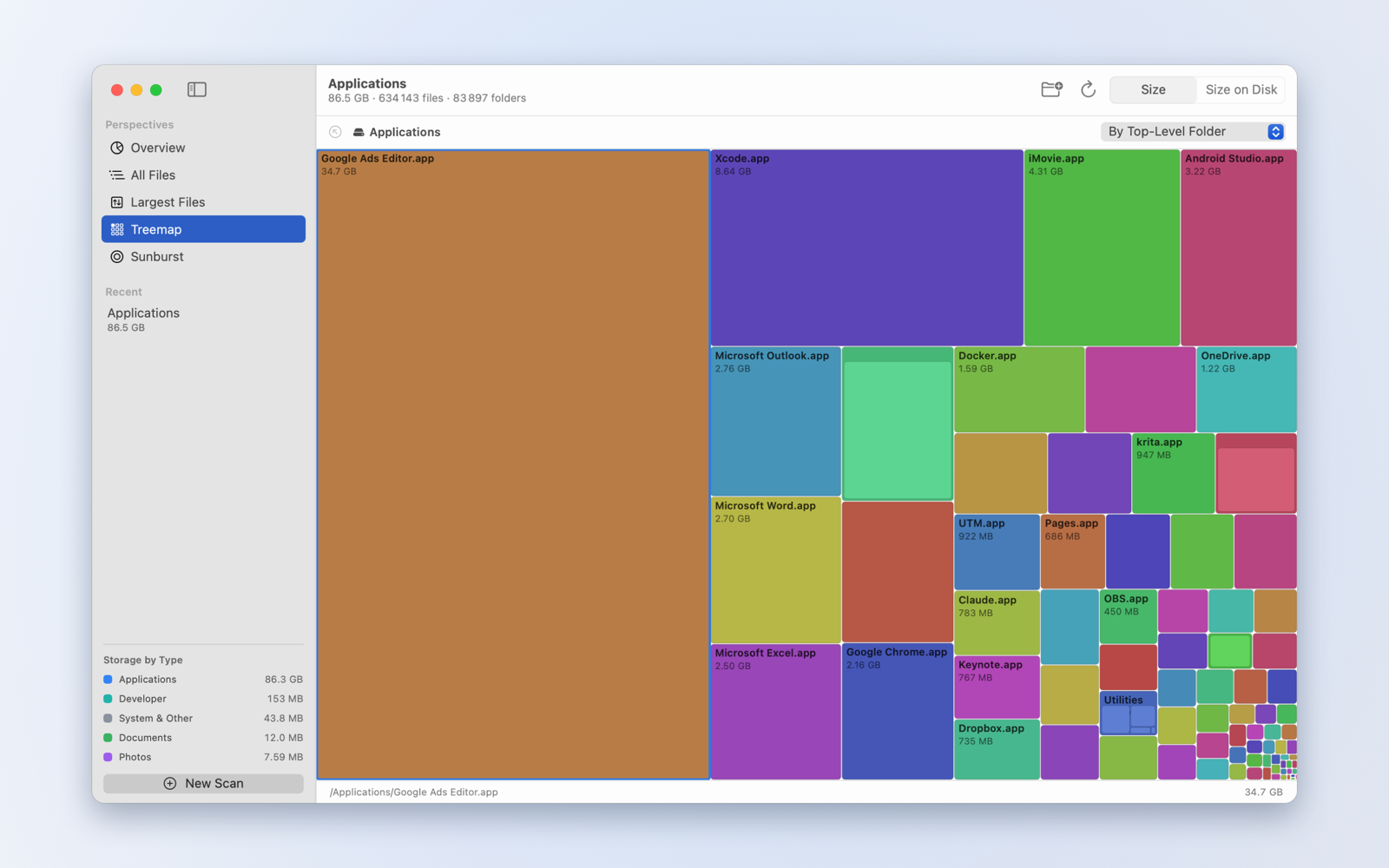
An interactive map
A color-coded treemap where the area of every tile is its size, so the space hogs are impossible to miss. Click to select, double-click a folder to zoom in, and follow the breadcrumb trail back out.
Sunburst rings
The same picture drawn as concentric rings. One glance shows how a folder divides, and how those parts divide in turn, all the way down.
Storage by file type
Videos, Photos, Audio, Applications, Developer, Documents, Archives, Disk Images and System files, each with its own total. Click a type to jump straight to the largest files of that kind.
Built to be fast
The scanning engine reads directories in bulk and in parallel instead of asking macOS about one file at a time. In testing, a folder holding 634,000 files measured in about five seconds.
Sizes you can trust
Apparent size and size on disk, switchable throughout. Resource forks are included so totals match Finder, hard-linked files are counted once rather than several times, and apps and photo libraries are shown as single items instead of thousands of pieces.
Read only, by design
Disk Space Usage never modifies, moves or deletes anything. There is no delete button, and the app never asks for permission to write to your files. When you find something to deal with, Reveal in Finder takes you to it and you decide what happens next.
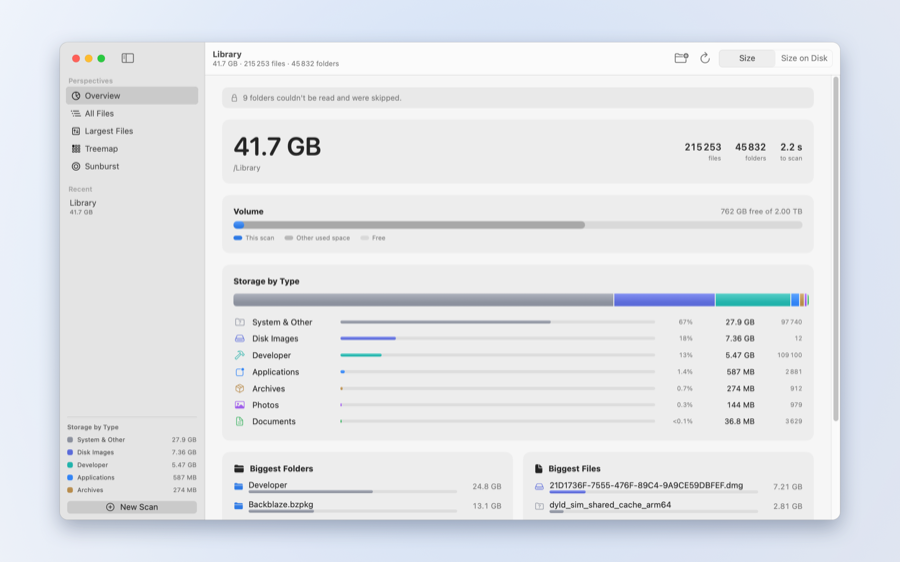
Totals, free space and a breakdown by file type.
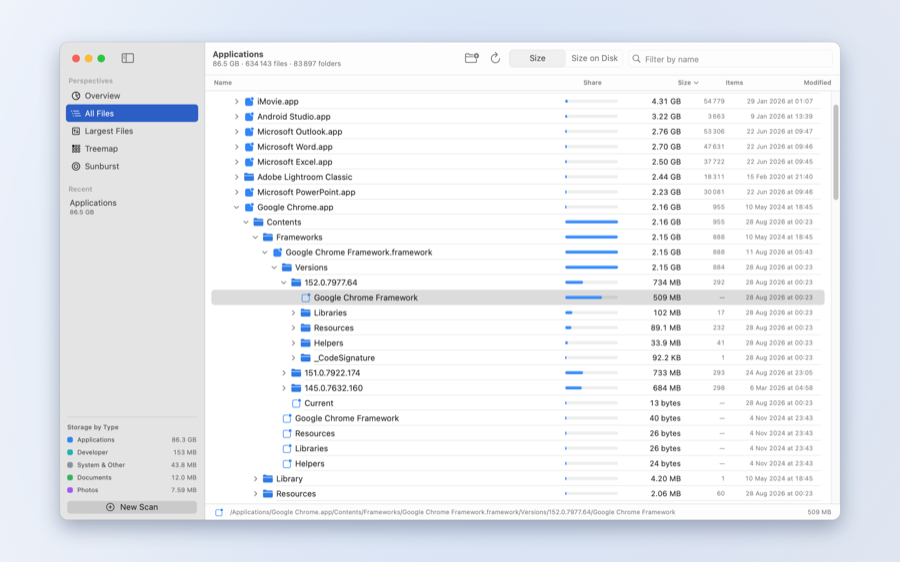
Every folder, sorted biggest first.
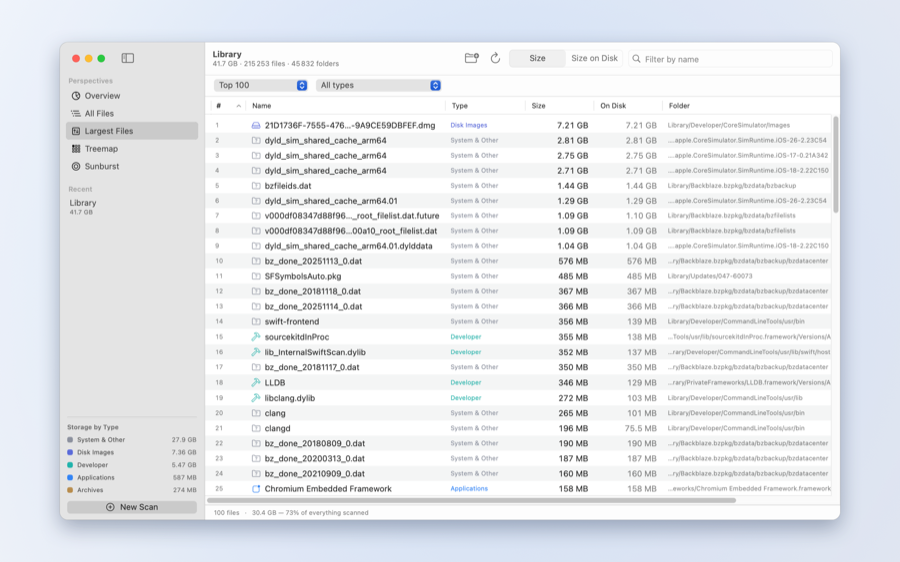
Every file in one ranked list.
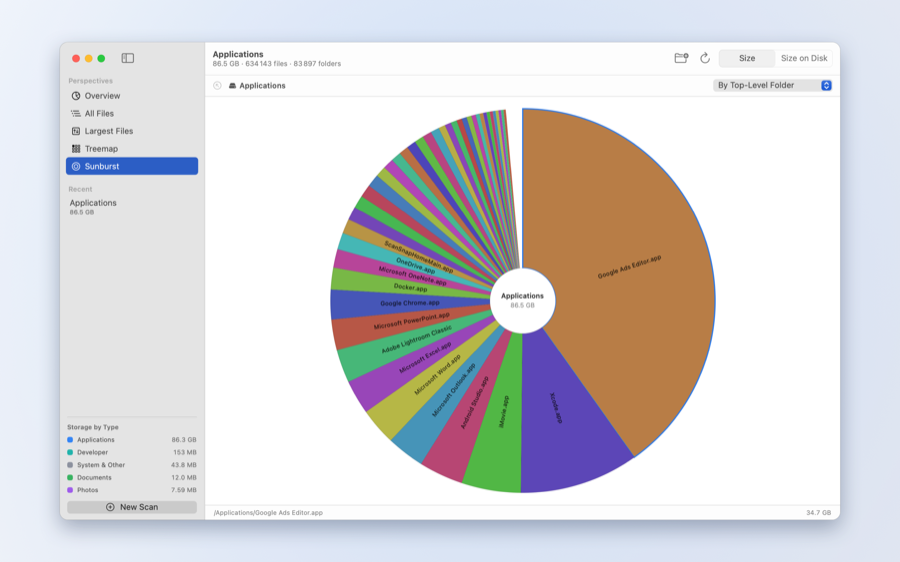
The same scan drawn as rings.
Disk Space Usage is a one-time purchase on the Mac App Store. No subscription, no in-app purchases. There is no account, no network connection and no analytics of any kind, so what the app measures stays on your Mac and we collect nothing.
Requires macOS 14 or later. macOS asks you to grant access the first time you scan a folder.